
- Published:
- App Store affiliate links, Google Play affiliate links, Instagram affiliate links, mobile app affiliate links, TikTok affiliate links
Creators promote mobile apps differently on TikTok and Instagram.
Sometimes they share a clickable affiliate link. Sometimes they display a referral code in a video. Sometimes they say the code out loud. And when someone does tap a link, TikTok or Instagram may open it inside an in-app browser rather than the device’s native browser.
For mobile app affiliate campaigns, that matters.
An affiliate link ultimately needs to move a user from a creator’s recommendation to the App Store or Google Play, through installation, and into the app.
But there isn’t one ideal link experience for every campaign.
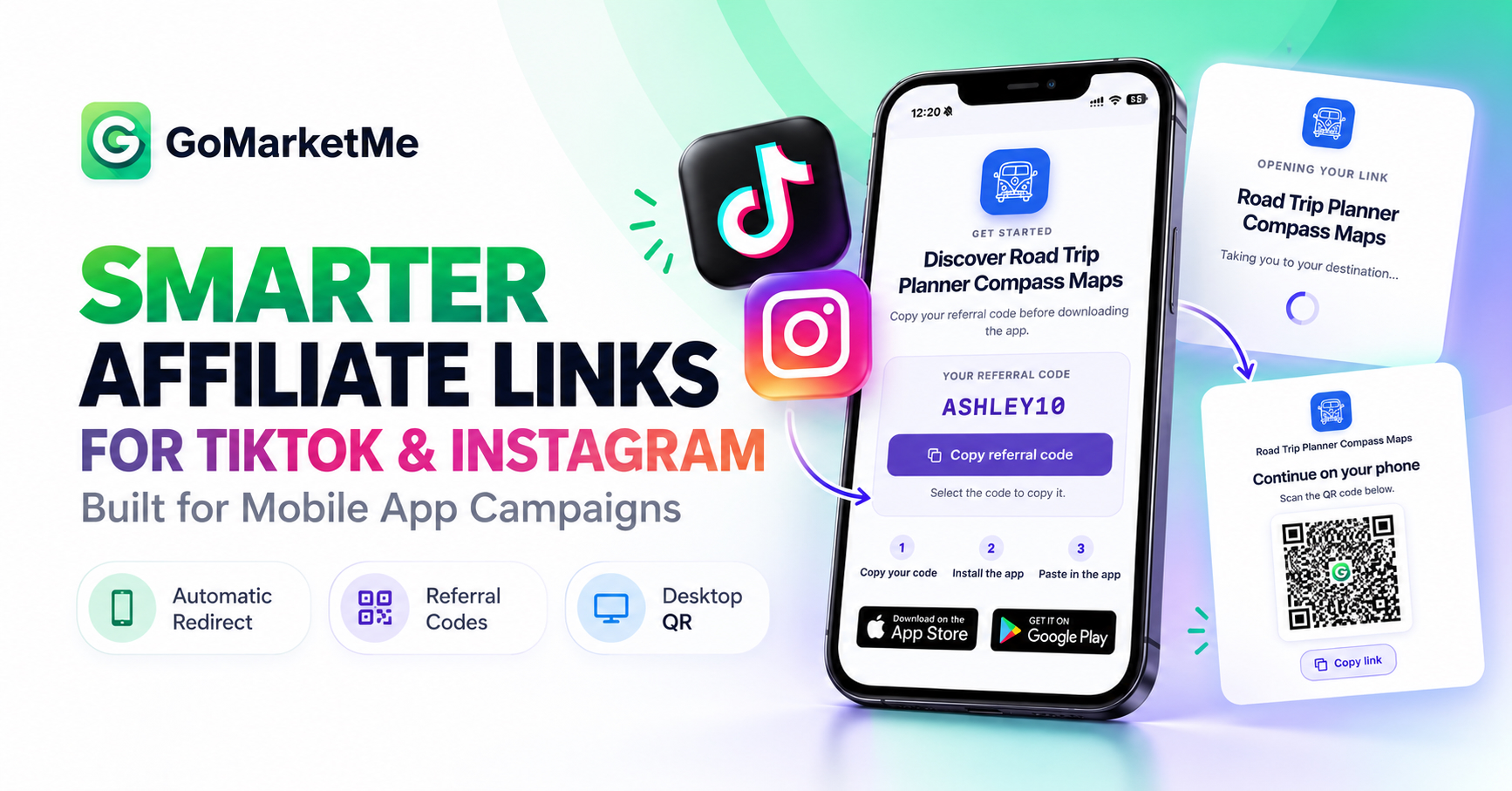
GoMarketMe’s new Link Behavior setting gives marketers control over that journey.
For campaigns using both Links and Referral Codes, marketers can now choose between:
- Automatic redirect: Take mobile users directly to the appropriate App Store or Google Play destination.
- Download page: Open a branded page where users can copy the affiliate’s referral code before downloading the app.
We’ve also improved what happens when the same affiliate link is opened on desktop, with a branded QR-code experience that lets the user continue on their phone.
Together, these changes make GoMarketMe affiliate links better suited to the way creators actually promote apps across TikTok, Instagram, websites, messages, email, and desktop.
For a broader introduction to the channel, see our complete guide to Affiliate Marketing for Mobile Apps.
Why TikTok and Instagram Need a Different Affiliate Link Strategy
Traditional affiliate marketing is largely built around a simple web journey:
Mobile apps introduce more steps:
TikTok and Instagram can introduce another variable: the in-app browser.
When a user taps a link inside either social app, that link may open within TikTok or Instagram instead of immediately moving into Safari, Chrome, or another native browser.
For ordinary webpages, that may not matter much. For mobile app affiliate links that are designed to automatically hand the user off to the App Store or Google Play, it can.
What Happens to Automatic App Store Redirects Inside TikTok and Instagram?
With a standard GoMarketMe affiliate link, Automatic redirect is designed to give mobile users the shortest path to installation.
An iPhone user can be directed to the app’s App Store product page, while an Android user can be directed to its Google Play product page.
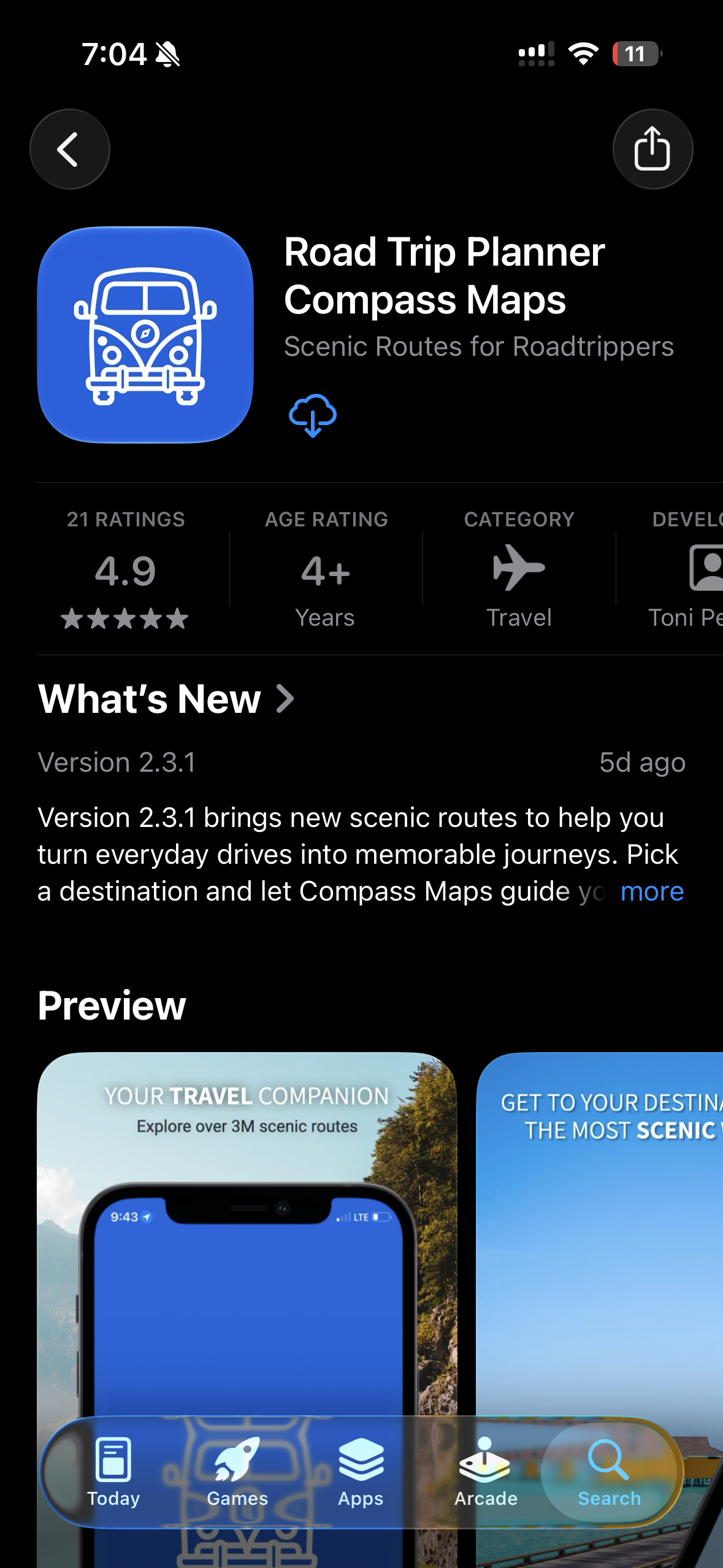
The intended journey is simple:
But inside some TikTok and Instagram in-app browser flows, that automatic store redirect may not complete until the user opens the link in their device’s native browser.
That extra step can introduce friction between a creator’s recommendation and the download.
And that’s exactly the type of campaign where another link experience can make more sense.
Introducing Link Behavior
GoMarketMe now lets marketers decide how affiliate links should behave at the campaign level.
For campaigns configured with both Links and Referral Codes, marketers can choose:
- Automatic redirect to send mobile visitors toward the appropriate App Store or Google Play destination based on their device.
- Download page to open a branded landing page with the affiliate’s referral code and App Store and Google Play download options.
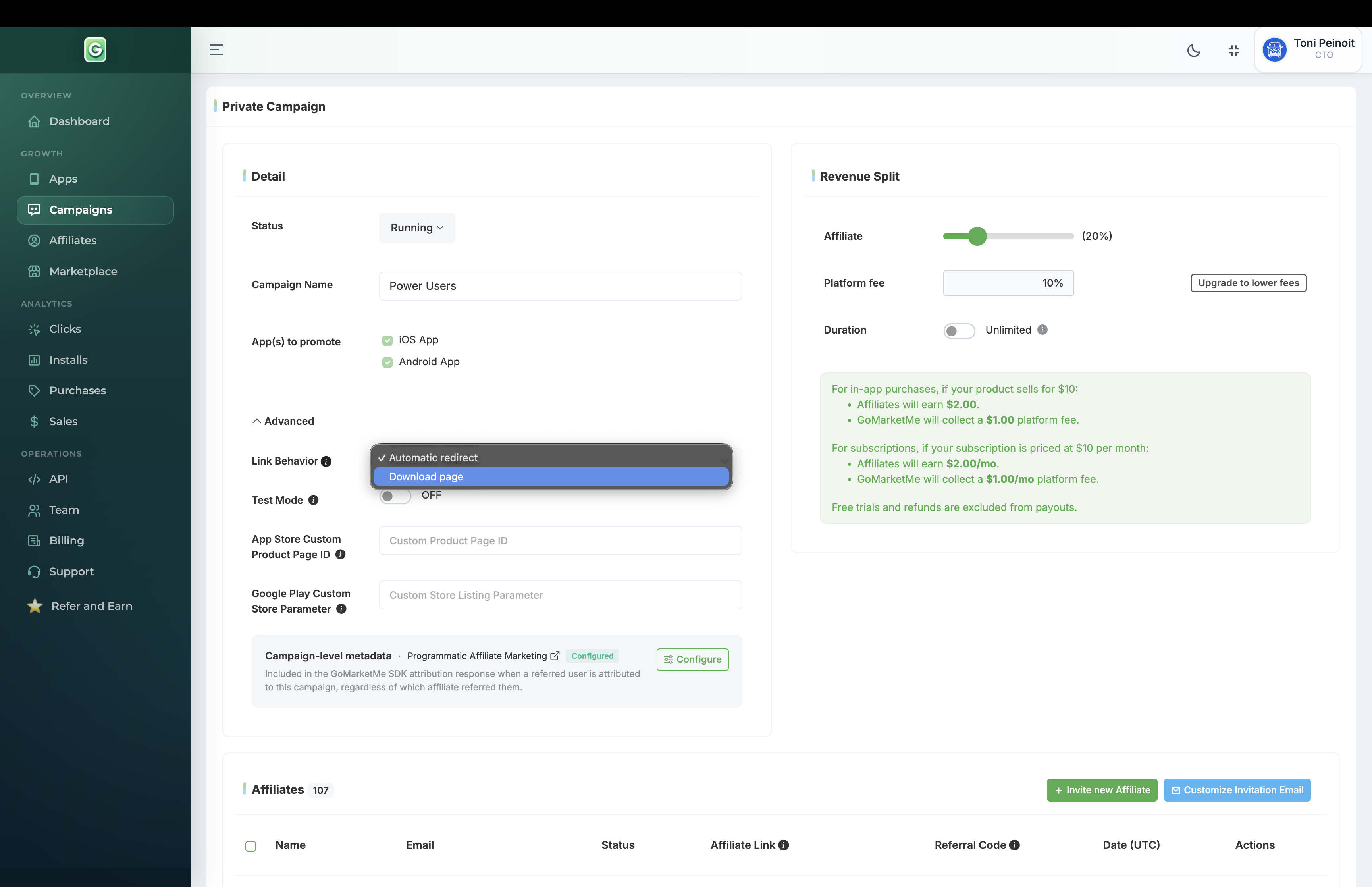
This means the same mobile app can use different link strategies for different affiliate campaigns.
A campaign focused on publishers, blogs, or newsletters might prioritize the shortest possible path to the store. A TikTok or Instagram creator campaign might prioritize making the referral code visible before the user installs the app.
The link experience can match the campaign instead of forcing every affiliate into the same flow.
Option 1: Automatic Redirect
Automatic redirect is designed for speed.
When a mobile visitor opens an affiliate link in an environment that supports the redirect, GoMarketMe routes the user toward the appropriate store destination.
This can be a natural fit for affiliate links placed in:
- Websites and blogs
- Newsletters
- Messages
- Landing pages
- Other direct mobile traffic
It’s also useful when a campaign’s goal is simply to minimize the number of steps between the affiliate click and the app download.
GoMarketMe affiliate links can also use short, memorable gmm.one URLs and app previews. Learn more in Branded Short Links with App Preview.
Option 2: A Branded Download Page
For creator campaigns where referral codes play a larger role, marketers can instead choose Download page.
Rather than relying on an automatic store redirect, the affiliate link opens a branded page for the promoted app.
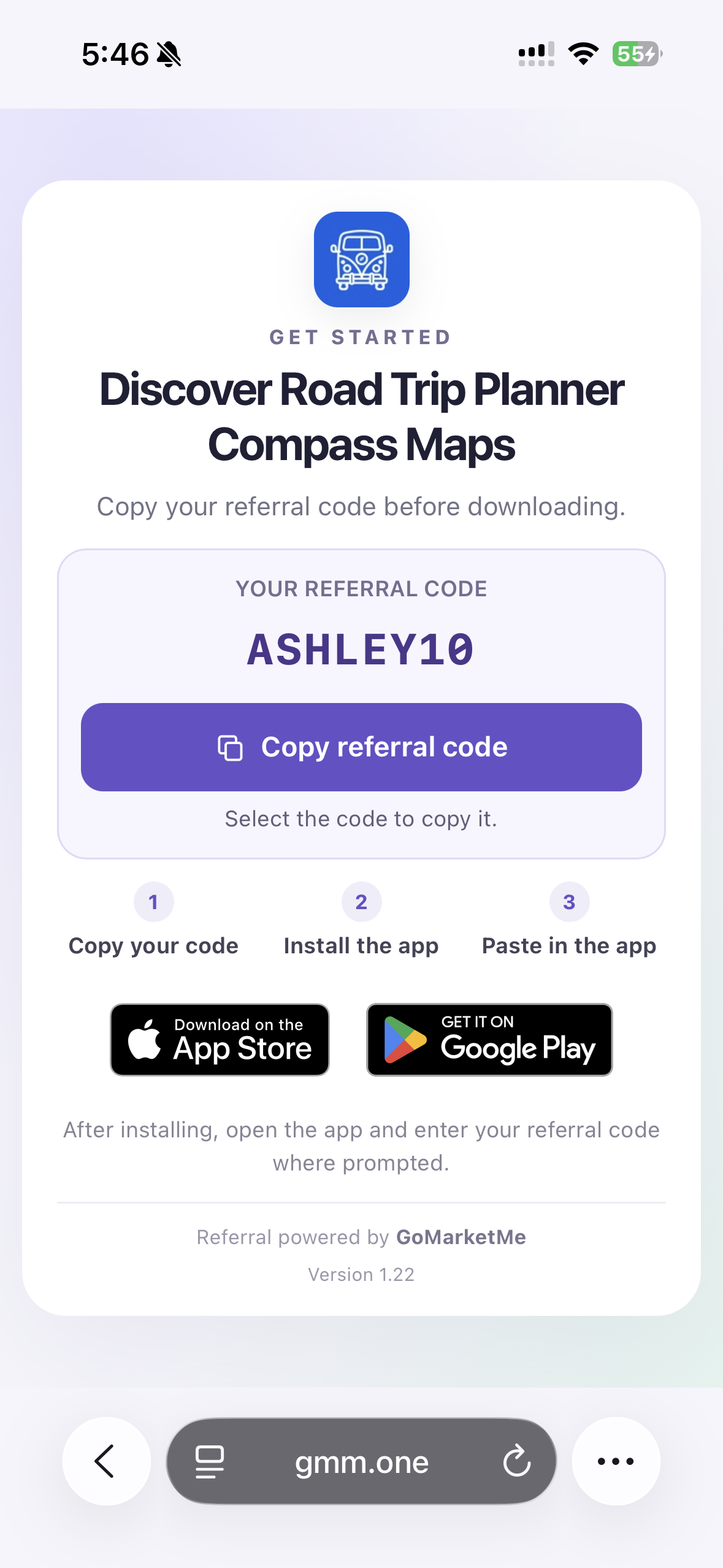
The affiliate’s referral code is displayed prominently, with a clear three-step journey:
- Copy your code
- Install the app
- Paste it in the app
The page also gives the user App Store and Google Play download options.
That makes the referral code part of the journey before the user leaves to install the app.
For example, a TikTok creator named Ashley might tell her audience:
“Download the app and use my code ASHLEY10.”
A viewer can then follow Ashley’s affiliate link, see ASHLEY10 clearly displayed, copy it, install the app, and enter the code inside the app.
The creator can use both the link and the referral code together.
Why Referral Codes Are Especially Useful for TikTok and Instagram
Creator promotions don’t always fit neatly into a clickable-link funnel.
On TikTok or Instagram, a creator might:
- Put an affiliate link in their profile
- Share a link where the platform supports it
- Send a link through a message
- Display a referral code on screen
- Mention a code verbally in a video
- Include the code in promotional copy
- Tell viewers to search for the app directly
Referral codes give creators another way to communicate the attribution information itself.
Instead of requiring every referral journey to begin and continue through a clickable link, the creator can give their audience something short and memorable, such as ASHLEY10.
The user can then install the app and enter that code.
GoMarketMe SDK v6 introduced referral-code attribution across iOS and Android specifically to give creators another referral method alongside links and QR codes. Learn more in GoMarketMe SDK v6: Referral Codes for Mobile App Attribution.
That makes Links + Referral Codes particularly flexible for social media campaigns. The link is there when the user can tap. The referral code is there when the user can see, hear, remember, or type it.
For a deeper look at referral-code attribution and the latest privacy model, see Privacy-First Attribution for Mobile Apps.
What Happens When the Same Affiliate Link Is Opened on Desktop?
TikTok and Instagram aren’t the only places where an affiliate link might be discovered.
A creator’s audience may also encounter the link through a blog, YouTube description, email, newsletter, website, desktop social feed, or message opened on a computer.
But a desktop computer isn’t where the user will install an iOS or Android app.
GoMarketMe now provides a purpose-built desktop experience for that situation.
When the affiliate link is opened on desktop, the visitor sees a branded Continue on your phone page.
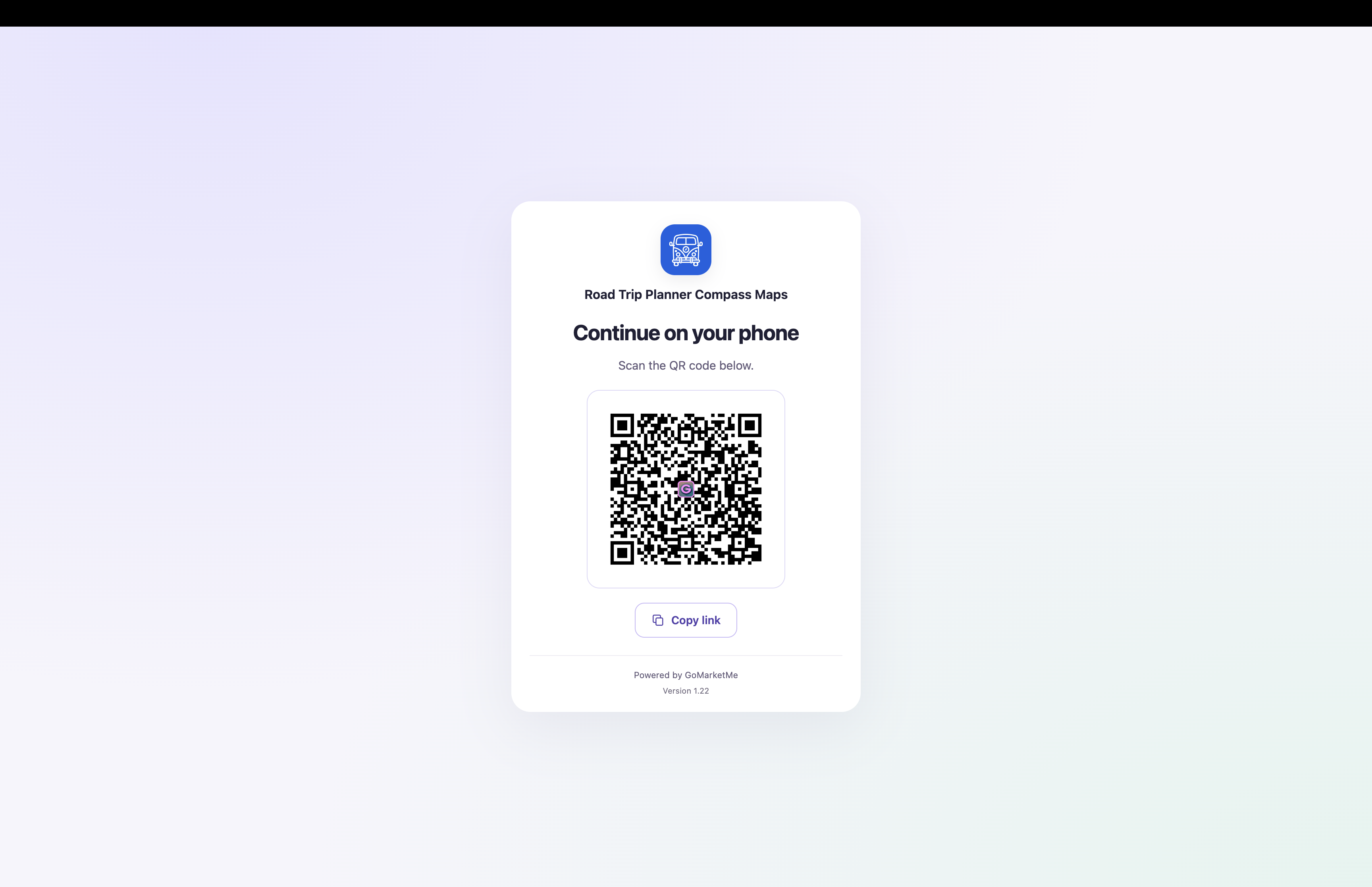
The page includes a QR code the visitor can scan with their phone. They can also copy the link.
Instead of sending desktop traffic toward an awkward mobile-store destination, the affiliate journey moves to the device where installation can actually happen.
Automatic Redirect vs. Download Page
There isn’t one correct Link Behavior for every affiliate campaign. Here’s a useful starting point:
| Campaign situation | Link Behavior to consider |
|---|---|
| Direct website traffic | Automatic redirect |
| Blogs and publisher affiliates | Automatic redirect |
| Email and newsletters | Automatic redirect |
| Direct mobile traffic | Automatic redirect |
| TikTok creator campaign | Download page |
| Instagram creator campaign | Download page |
| Creators displaying or mentioning referral codes | Download page |
| Campaign where seeing the code before install is valuable | Download page |
These are guidelines, not restrictions. A marketer can make the decision campaign by campaign.
For example, a publisher campaign might use Automatic redirect, while separate Instagram and TikTok creator campaigns use Download page.
That flexibility is one reason structuring creator groups into purposeful campaigns matters. For more ideas, see Best Practices for Structuring Successful Affiliate Campaigns for Your Mobile App.
How to Configure Link Behavior in GoMarketMe
Link Behavior is available for campaigns using both Links and Referral Codes.
To configure it:
- Open Campaigns in GoMarketMe.
- Select your campaign.
- Expand Advanced.
- Find Link Behavior.
- Select Automatic redirect or Download page.
Automatic redirect routes mobile users toward the appropriate App Store or Google Play destination based on their device.
Download page displays a branded page where the visitor can copy the affiliate’s referral code and choose where to download the app.
The behavior is configured at the campaign level, giving marketers the ability to tailor different affiliate campaigns to different channels.
Built for How Mobile App Discovery Actually Happens
Mobile app discovery isn’t limited to a user clicking a perfectly placed link in Safari.
A person might discover an app in a TikTok video, see a referral code in an Instagram Reel, tap an affiliate link inside an in-app browser, hear the code spoken by a creator, or later open the same affiliate link from a laptop.
And after all of that, they still need to move through an app store, install the app, open it, and eventually generate revenue.
Mobile app affiliate infrastructure needs to support that journey.
- Automatic redirects provide a fast path when a direct store handoff is the right experience.
- Branded download pages keep referral codes visible when social-media traffic needs a different approach.
- Referral codes let creator attribution continue beyond the link itself.
- Desktop QR codes bridge the gap between computer and phone.
With Link Behavior, GoMarketMe marketers can choose the experience that fits the campaign instead of forcing every creator and every user through the same path.
Because the best affiliate link isn’t simply the one that can be tracked. It’s the one that works where the audience actually is.
A better link experience is only one part of a successful creator program. Our guide to How to Recruit Creators for Your Mobile App Affiliate Program covers how to identify and recruit creators who are more likely to generate installs, customers, and revenue.
Frequently Asked Questions
Can you use affiliate links for mobile apps on TikTok?
Yes. Creators can use affiliate links, referral codes, or both to promote mobile apps on TikTok. For campaigns generating TikTok traffic, marketers should consider how the affiliate link behaves inside TikTok’s in-app browser.
Can you use affiliate links for mobile apps on Instagram?
Yes. Instagram creators can promote apps using affiliate links and referral codes. A creator can, for example, make an affiliate link available to their audience while also displaying or mentioning their referral code in their content.
Why doesn’t my app affiliate link automatically open the App Store from TikTok or Instagram?
Inside some TikTok and Instagram in-app browser flows, an automatic App Store or Google Play redirect may not complete until the user opens the link in the device’s native browser.
What’s the best affiliate link setup for a TikTok or Instagram app campaign?
It depends on the campaign. If the fastest possible store redirect is the priority, Automatic redirect may be appropriate. If referral codes are prominently used or in-app browser behavior is a concern, GoMarketMe’s Download page can provide a clearer journey.
What’s the difference between an affiliate link and a referral code?
An affiliate link is a URL associated with the affiliate or creator. A referral code is a short code users can enter inside the app to identify who referred them. They can be used together.
Can the same campaign use affiliate links and referral codes?
Yes. GoMarketMe campaigns can use both Links and Referral Codes. Campaigns using both also have access to Link Behavior.
Can one affiliate link work for both iPhone and Android?
Yes. With Automatic redirect, a GoMarketMe affiliate link can route mobile users toward the appropriate App Store or Google Play destination based on their device.
What happens if a mobile app affiliate link is opened on desktop?
GoMarketMe displays a branded page inviting the user to continue on their phone. The visitor can scan a QR code or copy the link to continue the affiliate journey on mobile.
Ready to Launch Your Mobile App Affiliate Program?
Launch creator and affiliate campaigns with links, referral codes, mobile attribution, real-time performance tracking, and more with GoMarketMe.