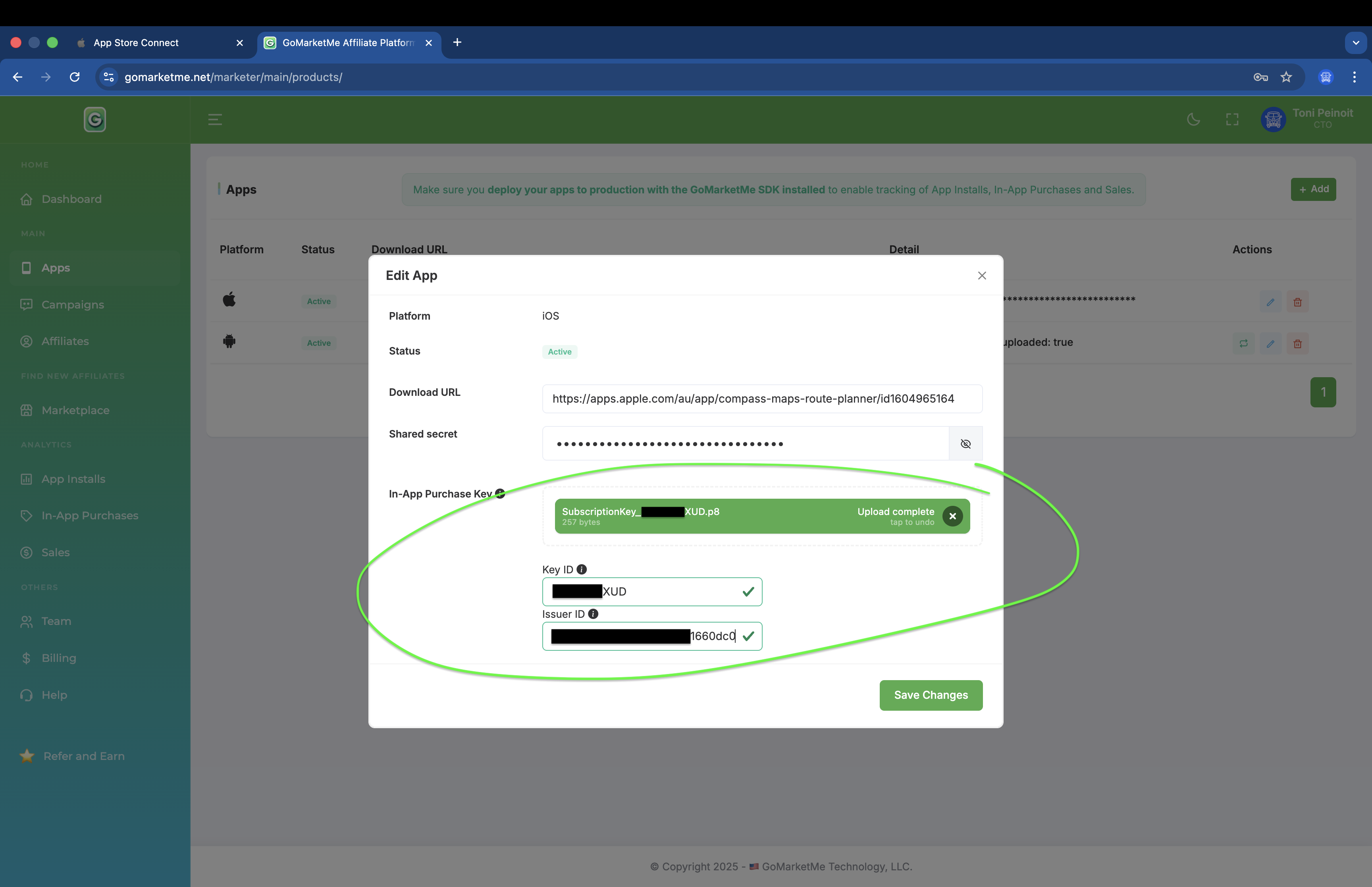
To verify the authenticity of your affiliate sales (in-app purchases and subscriptions), GoMarketMe uses Apple’s In-App Purchase Key for secure server-to-server validation. Follow these five steps in App Store Connect to generate your In-App Purchase Key and upload it to GoMarketMe.
Sign in to App Store Connect.
Open Users and Access → Integrations tab.
Select In-App Purchase from the sidebar.
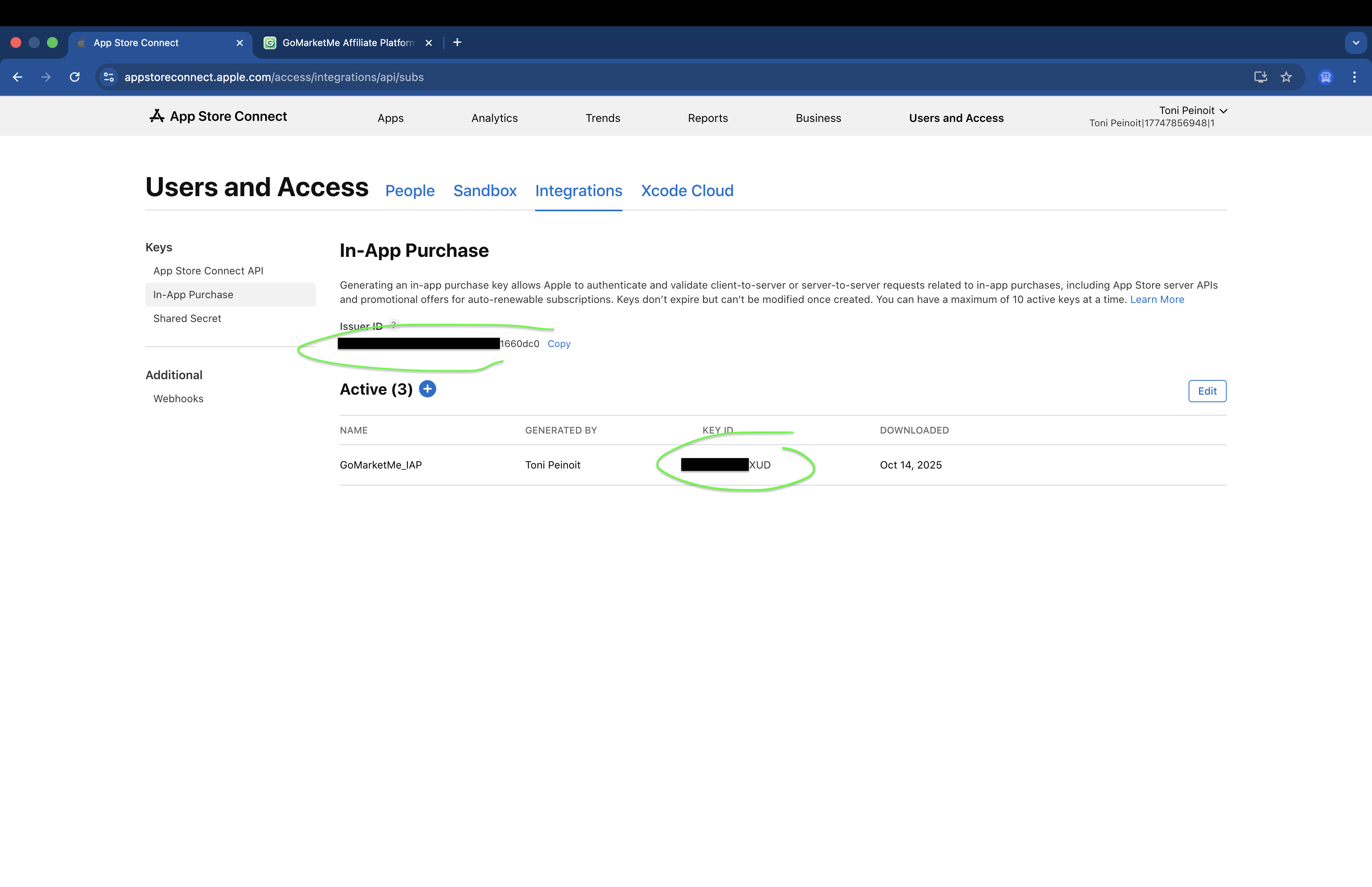
💡 Note: You must be an Account Holder in App Store Connect to create an In-App Purchase Key. Admins or Developers do not have access to this section.
Click +.
Enter a name (for your reference).
Click Generate to create it.
Click Download API Key (.p8) — this file is only available once.
Save it in a secure location.
Note the Issuer ID and Key ID shown on the same page.
You’ll need these values along with the .p8 file.
.p8 file, Issuer ID, and Key ID