
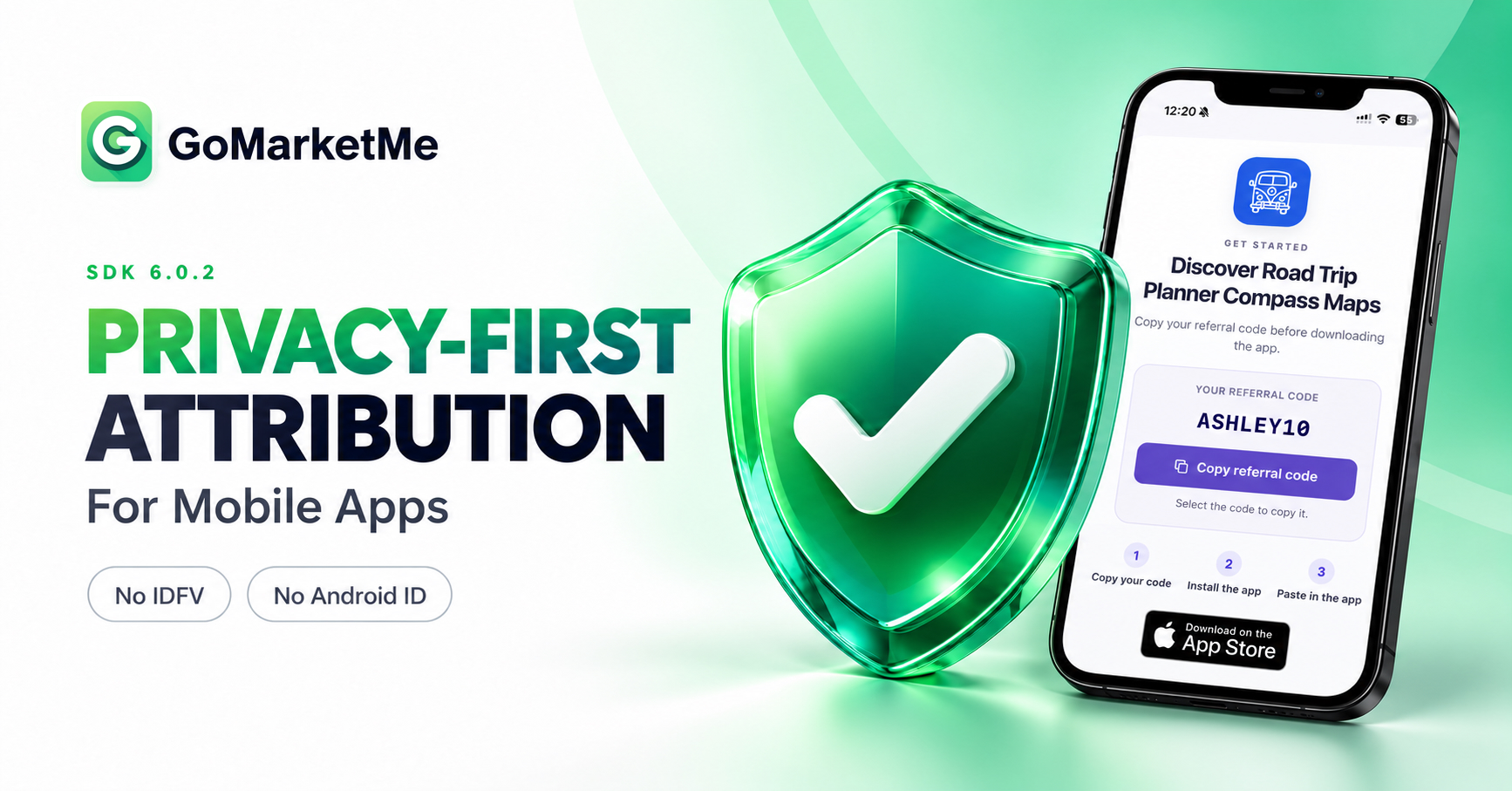
You care about privacy. So do we.
Every SDK you add to your app becomes part of the product your users trust. You should be able to understand what it collects and why that data is needed.
With GoMarketMe SDK 6.0.2, we’ve removed IDFV (Identifier for Vendor) on iOS and Android ID on Android. When you select Referral Codes as your attribution method, the SDK also works without collecting device or network information. It still does not collect IDFA or request App Tracking Transparency (ATT) permission.
Your team can use privacy-first mobile app attribution to credit creators and measure eligible purchases, subscriptions, and commissions.
Our SDK v6 release introduced referral codes. Version 6.0.2 moves that story forward with a stronger privacy foundation for your mobile app affiliate program.
How privacy-first mobile app attribution works
Attribution is the process of identifying which affiliate drove an app install and connecting the subsequent eligible sales from that install to the affiliate. It helps your team measure affiliate-generated revenue and determine who earns a commission.
GoMarketMe supports three attribution methods:
- Links: Use affiliate links to establish attribution.
- Referral Codes: Use a referral code redeemed inside your app to establish attribution.
- Both: Enable attribution through affiliate links and referral codes.
When a user submits a referral code, GoMarketMe validates it and associates an eligible referral with the relevant affiliate and campaign.
Referral and transaction records support the revenue measurement that follows. GoMarketMe verifies relevant purchase information with Apple or Google, evaluates attribution eligibility, and calculates commissions. Your team can see which affiliate relationships are generating attributed revenue.
For examples of using affiliate and campaign context inside your product, see our recent update, Customize Your In-App Experience with Programmatic Affiliate Marketing.
How to enable Referral Codes in GoMarketMe
Start by updating your app’s GoMarketMe integration to SDK 6.0.2 or later.
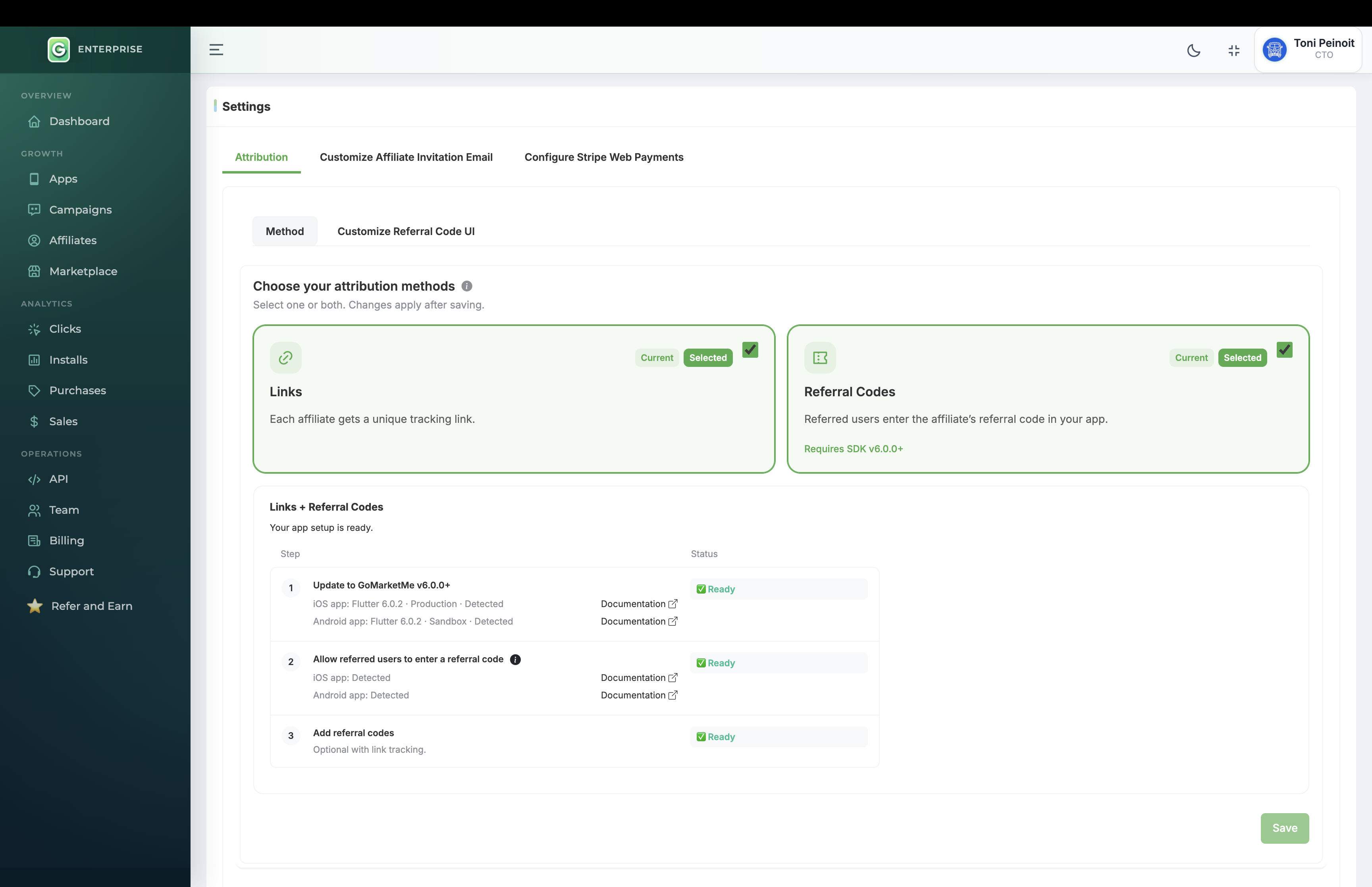
In your GoMarketMe dashboard:
- Open Settings.
- Go to Attribution.
- Under Method, select Both to keep link attribution enabled and add referral-code attribution.
- Save your changes.
For a program using referral codes alone, select Referral Codes.
Then give users a place to enter a code and assign codes to your affiliates.
How to add referral codes to your mobile app
Start with the code-entry experience. You have two options:
- Use GoMarketMe’s built-in UI. Add your SDK’s referral-code trigger to your app, then enable and customize the trigger and sheet in Referral Code settings.
- Use your own UI. Collect the code in your existing onboarding or referral screen and submit it through your SDK’s redemption API after initialization. Show a confirmation when it succeeds and a helpful message if it fails.
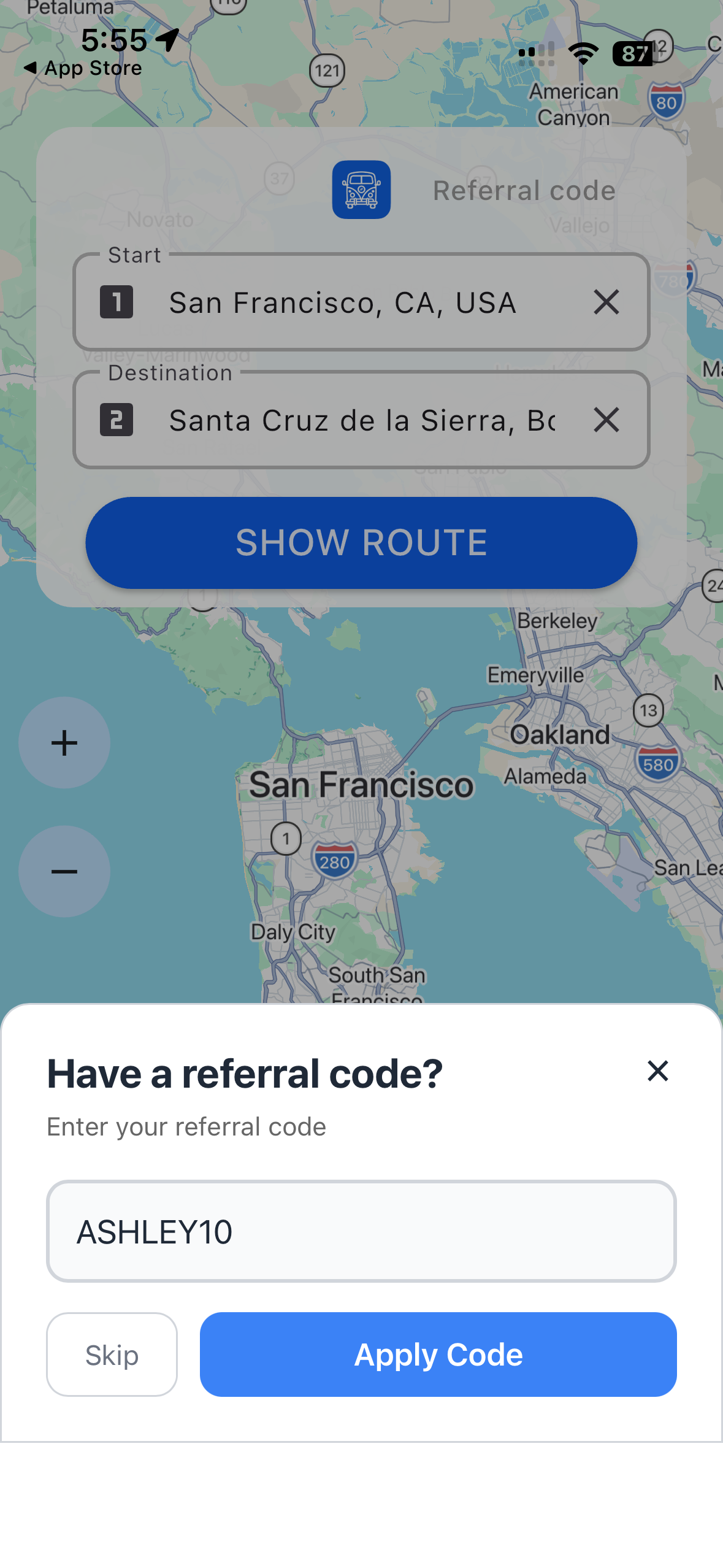
Place code entry where new users will see it, ideally during or immediately after onboarding. Let users without a code continue.
Next, open a campaign and add a code when inviting or editing an affiliate. Choose a short, memorable code that is unique across your GoMarketMe account.
The Referral Codes guide covers configuration. For implementation, use the documentation for Swift, Kotlin, React Native and Expo, or Flutter.
Affiliate links still work
With Attribution Method set to Referral Codes, affiliate links still work. They open a branded landing page featuring your app logo, the affiliate’s referral code, and download buttons for the App Store or Google Play.
Following our privacy best practices, the page uses no cookies and does not collect or store visitor information, visit events, or click events.
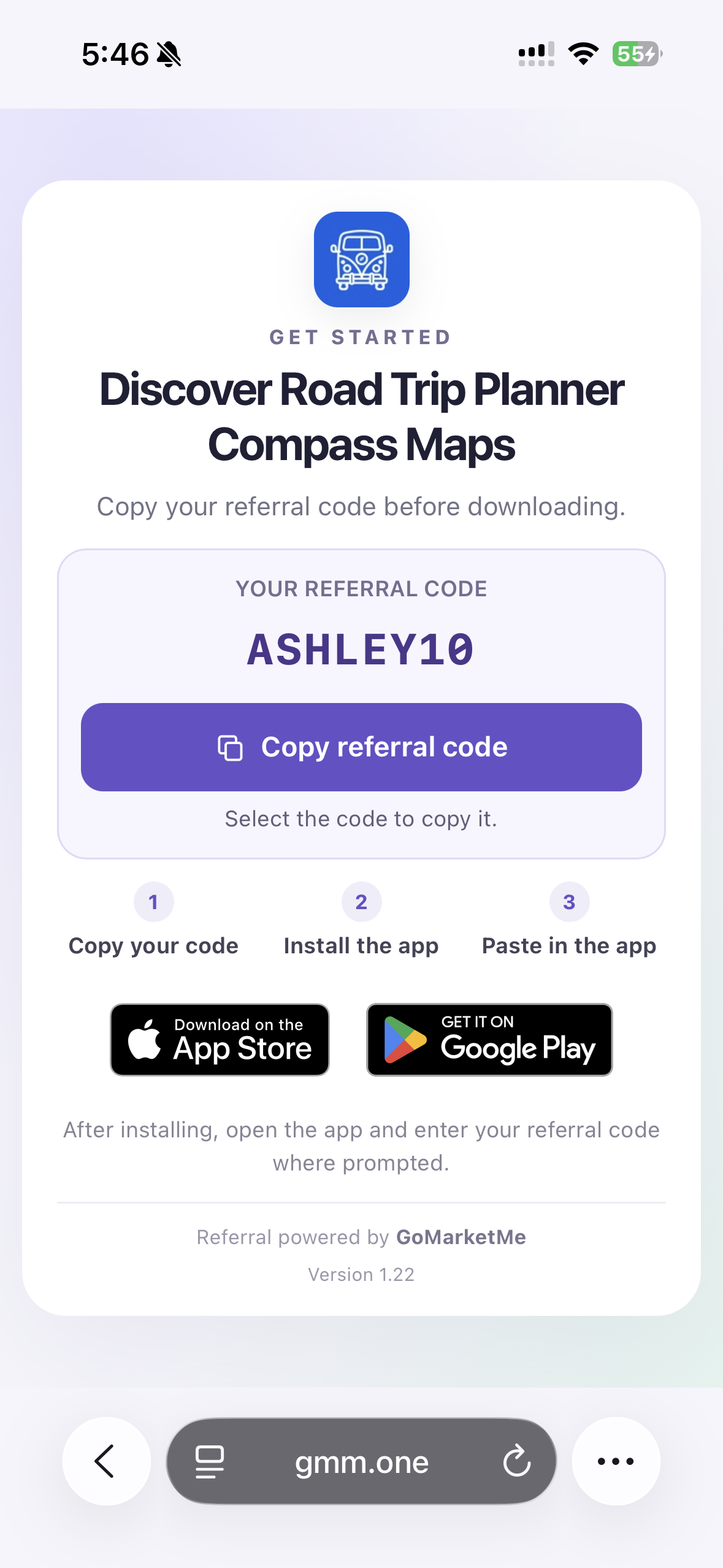
From there, users download your app, open it, and enter the displayed code. The code establishes the referral when successfully redeemed and eligible for attribution.
This download page is especially useful in in-app browsers. In some TikTok and Instagram flows, the browser can block an automatic redirect. The page keeps the code visible and gives users a clear next step.
Affiliates can also share the referral code on its own. Users can find your app directly in the store and enter the code inside the app, so a link is optional for this setup.
Keep automatic App Store redirects
To keep automatic redirects to your App Store page while adding referral codes, enable Links and Referral Codes by selecting Both under Settings > Attribution > Method.
This is the recommended setup for existing programs: affiliate links retain the automatic redirect, and users can also enter a referral code inside your app.
Add Referral Codes to your affiliate program
Update your GoMarketMe integration to SDK 6.0.2 or later and add Referral Codes to your app.
User trust belongs in every part of your app, including the SDKs you choose. We’re building GoMarketMe with that responsibility in mind.